Notion Social Media Planner & Grid Widget
Notion Social Media Planner & Grid Widget
Couldn't load pickup availability
A refined Social Media Planner for creators who see their work as craft.
It blends aesthetic clarity with strategic depth, bringing your ideas, partnerships, revenue, and growth into one calm and intelligent workspace. The layout is clear, the structure is thoughtful, and the experience is intentionally quiet—allowing you to create with focus rather than overwhelm.
Your creative work carries value. It deserves a system that reflects its intention, is purposeful, and brings clarity. This is not simply organization, but a workspace to return to: steady, composed, and inherently yours. Designed to support you with elegance and sustainability, while allowing your creativity to flow with intention and confidence.
FEATURES
• Editorial, minimalist homepage dashboard
• Strategy framework to define brand direction, values & identity
• Content planner with daily, weekly & campaign views
• Integrated Toolkit for hooks, CTAs, hashtags, captions & prompts
• Project & brand deal workflow with phase-based task planning
• Monetization tracker for sponsorships, affiliates, platforms & products
• Finance dashboard to track revenue, expenses & subscriptions
• Monthly, quarterly & yearly reporting
• Social analytics trackers with platform-specific metrics
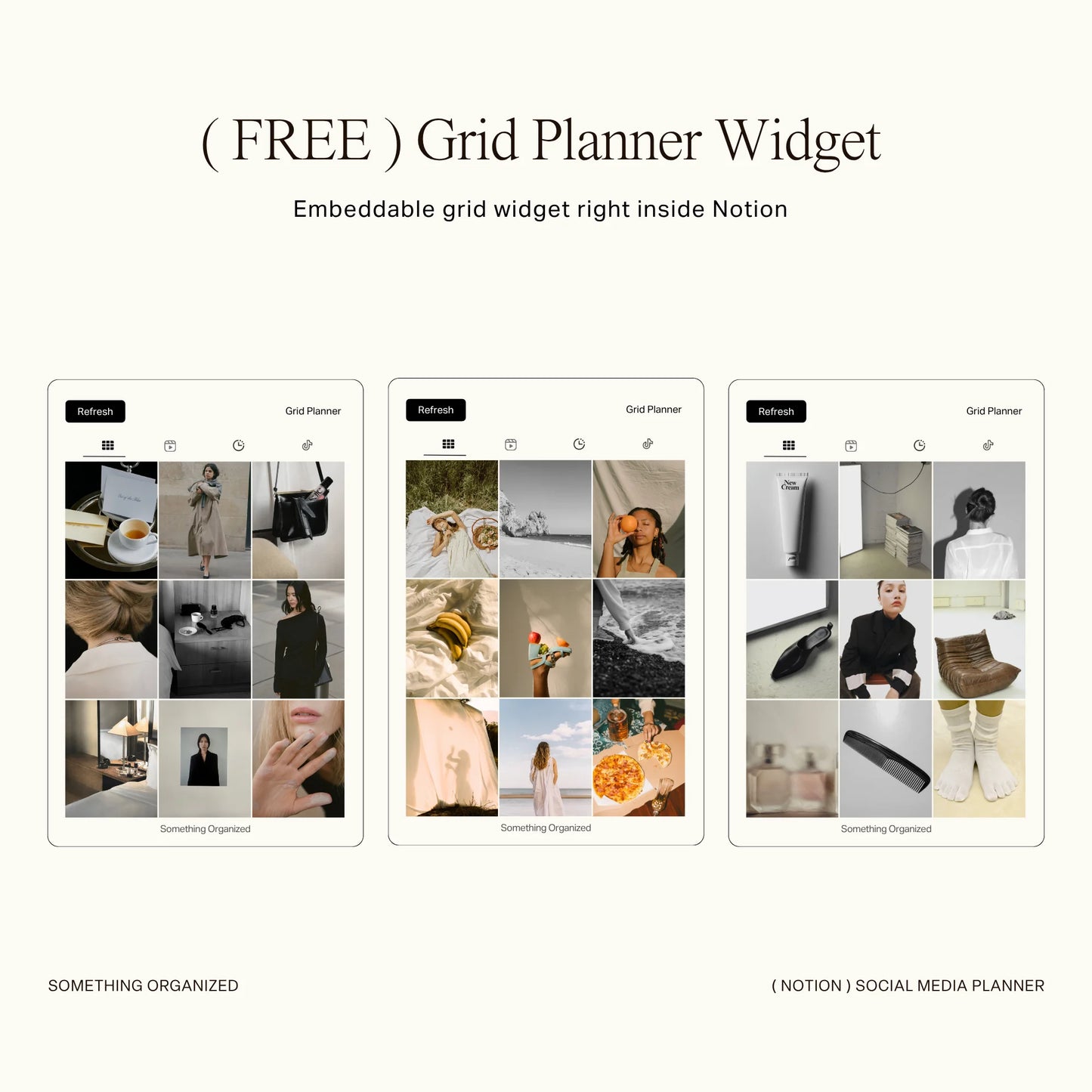
• + Free Grid Planner Widget for visual content layout & planning
• YouTube walkthrough video included
• Designed for both solo creators and small teams
PERFECT FOR
Content creators & influencers, Creative entrepreneurs, Brand partnerships & UGC creators, Social media managers, Small business owners with brand-driven marketing, Anyone building an intentional online presence
NOTES
- This template and widget are licensed for personal or internal team use only. Redistribution, resale, or offering the files—original or modified—to clients or external users is not permitted. Your purchase grants a non-transferable license for use within your own workspace only. Unauthorized sharing or reproduction is a violation of the license terms.
- Notion's free plan allows only one chart per workspace. This is a Notion limitation, not the template. Please consider this before purchasing.
- Lifetime Access
- Easy Navigation
- YouTube Tutorials
How to Use
How to Use
1. Access Your Template
After purchase, a PDF file containing the template link will be sent to your email. Download the file and click the provided link to access the template.
2. Duplicate to Your Workspace
- Once on the template page, click the "Start with this template" or "Duplicate" button in the top-right corner.
Tips for Duplicating:
- Use a desktop or laptop for the best experience, as some users may experience issues duplicating on iPad, tablet, or phone.
- Ensure you’ve selected the correct workspace when duplicating. Avoid selecting "Private" as it might cause issues with the template displaying correctly. If problems persist, try again with a stable internet connection.
3. Start Customizing and Organizing
- Your own editable version is now ready!
- Customize the template to fit your needs and start organizing effortlessly.
FAQs
FAQs
-
Can I use this on a free Notion account?
Yes, all templates are fully compatible with Notion’s free plan. However, please note that the free plan limits you to only one chart per workspace. To use charts, select the one chart you’d like to keep and delete the others, including any chart views filtered by month. You can easily adjust the chart to display data for the current month or by year.
-
Can I modify or change the formula?
While you're welcome to customize any pages within the dashboard, we kindly advise exercising caution when modifying formulas, as this may inadvertently affect other interconnected pages. If you're uncertain about making changes to formulas, we recommend seeking assistance to avoid unintended consequences.
-
Can this template be used in subsequent years?
This template is structured for annual use. While you can extend it by adding additional years, please note that at the end of each year, the template will be updated. Feel free to re-duplicate the template to ensure you have the most current version available.
-
Can I resell your Notion template?
No, all files included in the template are for PERSONAL use only. Redistribution, resale, or reproduction of the template, in whole or in part, is strictly prohibited. Violation of this policy may result in legal action to protect intellectual property rights and pursue damages for unauthorized distribution.
Policy & Terms
Policy & Terms
- This is a digital download. No physical product will be shipped to you.
- All files included in the template are for PERSONAL use only. Redistribution, resale, or reproduction of the template, in whole or in part, is strictly prohibited. Violation of this policy may result in legal action to protect intellectual property rights and pursue damages for unauthorized distribution.
- Due to the nature of digital products, all sales are final and non-returnable. We do not offer refunds or exchanges. However, if you encounter any issues with your purchase, please don’t hesitate to contact us. We are committed to resolving any problems and will respond to your query within 24 hours.
Share